 ThreadKeep
How to export a ChatGPT chat to Markdown, PDF or text
ChatGPT can export your whole account, but exporting a single conversation takes a workaround. These are the options, from quickest to most complete.
Export a ChatGPT conversation
- Copy a response. Under any answer, click the copy icon, then paste into a Markdown editor or note app. Code and headings usually survive; tables may need tidying.
- Save as PDF. Open the chat and press Ctrl+P (Cmd+P on Mac), choose Save as PDF as the destination. Layout depends on the browser, and long code blocks can break across pages.
- Share a link (optional). The Share button creates a link to a read-only copy. Anyone with the link can read it, so avoid this for private chats.
- Export everything. Go to Settings, then Data controls, then Export data. ChatGPT emails you a download link to a zip file that includes chat.html and conversations.json. You get all chats at once, not a chosen few, and deleted chats are not included.
Limits of the built-in options
Copying works one answer at a time. Printing gives you a PDF but not Markdown. The full export is thorough but you must wait for an email and then open a large JSON file to find one conversation. Menu names change, so if a label differs, look for Data controls in settings.
Where ThreadKeep helps
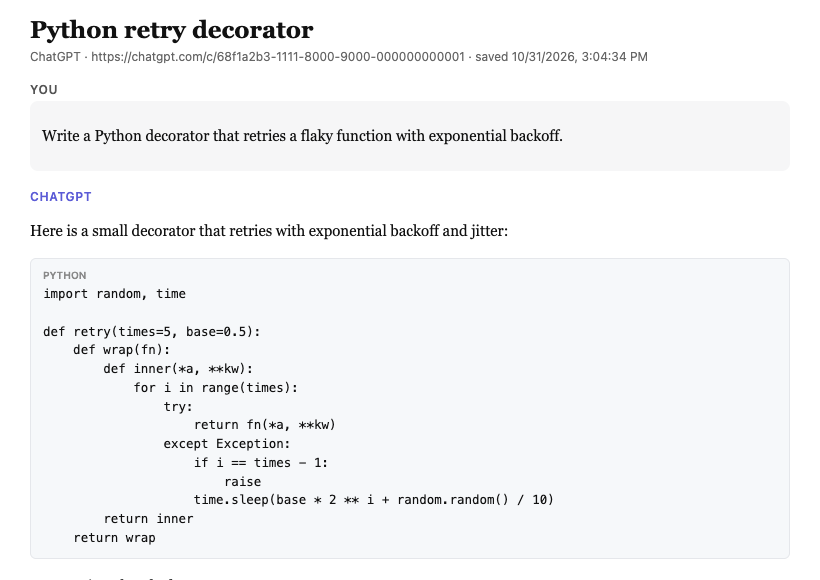
ThreadKeep adds an export action for the chat you have open. Pick Markdown, PDF, JSON or plain text. PDF opens a clean print view of the chat, where you choose Save as PDF. Code blocks keep their language and indentation and tables stay tables. Files are built in your browser, so the chat is not uploaded anywhere.
Free covers up to 5 folders, 10 exports a month and unlimited search. Pro is $4.99 a month or $59 once and removes the folder and export limits. Exporting a whole folder at once is a Pro feature.
ThreadKeep is not on the Chrome Web Store yet. Add to Chrome (coming soon). Until then, see the ThreadKeep overview.
Related guides
Need the same for another site? See Claude, Gemini or Grok. To find a chat before exporting it, read how to search all your ChatGPT conversations.
More guides
- How to organize ChatGPT chats into folders
- How to export a Claude chat to Markdown or PDF
- How to export a Gemini chat
- How to search all your ChatGPT conversations
- How to organize your Claude chats
- How to export a Grok chat to Markdown or PDF
- ThreadKeep vs ChatGPT Projects
ThreadKeep adds folders, tags, cross-site search and export to ChatGPT, Claude, Gemini and Grok. Data stays in your browser. No account.
See what ThreadKeep does · Add to Chrome (coming soon)